

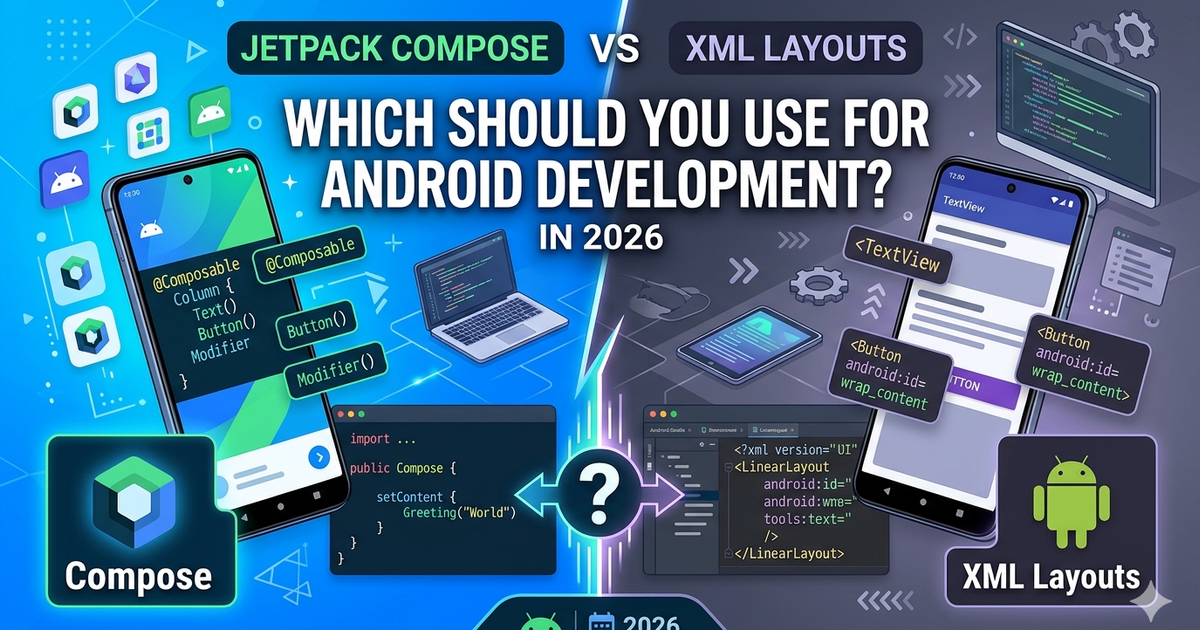
Google officially recommends Jetpack Compose for all new Android apps in 2026. But does that mean XML is dead? Should you migrate your existing app? And which is actually better for your specific use case?
This guide breaks down the real differences with code examples, performance data, and actionable advice — no marketing fluff.
---
Quick Answer — Which Should You Use?
New app starting from scratch? → Use Jetpack Compose
Existing large XML codebase? → Keep XML, add Compose gradually
Learning Android for the first time? → Start with Compose
Need maximum performance for lists? → Still XML RecyclerView (for now)
Building UI-heavy app with lots of animations? → Compose wins
---
What is Jetpack Compose?
Jetpack Compose is Android's modern declarative UI toolkit. Instead of defining layouts in XML files, you build UI with Kotlin functions. It was released stable in 2021 and has become Google's recommended approach.
// Compose — UI as Kotlin functions
@Composable
fun Greeting(name: String) {
    Column(
        modifier = Modifier.padding(16.dp)
    ) {
        Text(
            text = "Hello, $name!",
            style = MaterialTheme.typography.headlineMedium
        )
        Button(onClick = { /* action */ }) {
            Text("Say Hi")
        }
    }
}
---
What is XML Layout?
The traditional Android approach. You define your UI in XML files and bind them to Activities or Fragments with findViewById or ViewBinding.
<!-- XML layout file -->
<LinearLayout
    android:layout_width="match_parent"
    android:layout_height="wrap_content"
    android:orientation="vertical"
    android:padding="16dp">

    <TextView
        android:id="@+id/greetingText"
        android:layout_width="wrap_content"
        android:layout_height="wrap_content"
        android:text="Hello, World!"
        android:textSize="24sp" />

    <Button
        android:id="@+id/greetingButton"
        android:layout_width="wrap_content"
        android:layout_height="wrap_content"
        android:text="Say Hi" />

</LinearLayout>// Kotlin code to use the layout
class MainActivity : AppCompatActivity() {
override fun onCreate(savedInstanceState: Bundle?) {
super.onCreate(savedInstanceState)
setContentView(R.layout.activity_main)
val button = findViewById<Button>(R.id.greetingButton)
button.setOnClickListener {
// action
}
}
}---
Head-to-Head Comparison
1. Code Size and Readability
Compose generally requires less code for the same UI:
// XML requires 2 files + boilerplate
// layout.xml (15+ lines) + Activity code (10+ lines)

// Compose — everything in one place
@Composable
fun LoginScreen() {
    var email by remember { mutableStateOf("") }
    var password by remember { mutableStateOf("") }

    Column(modifier = Modifier.padding(16.dp)) {
        OutlinedTextField(
            value = email,
            onValueChange = { email = it },
            label = { Text("Email") }
        )
        OutlinedTextField(
            value = password,
            onValueChange = { password = it },
            label = { Text("Password") }
        )
        Button(onClick = { /* login */ }) {
            Text("Login")
        }
    }
}---
2. Performance
Winner depends on use case:
Static screens — Compose and XML are nearly identical
Animations — Compose is 15-20% faster (fewer view layer updates)
Large lists (1000+ items) — XML RecyclerView still edges out LazyColumn by ~10%
Complex nested layouts — Compose recomposes smarter, often faster
---
3. State Management
Compose makes state management dramatically easier:
// Compose — state updates UI automatically
@Composable
fun Counter() {
    var count by remember { mutableStateOf(0) }

    Button(onClick = { count++ }) {
        Text("Clicked $count times")
    }
}

// XML requires manual view updates
class MainActivity : AppCompatActivity() {
    private var count = 0

    override fun onCreate(savedInstanceState: Bundle?) {
        super.onCreate(savedInstanceState)
        val button = findViewById<Button>(R.id.button)
        val text = findViewById<TextView>(R.id.text)

        button.setOnClickListener {
            count++
            text.text = "Clicked $count times" // manual update
        }
    }
}
---
4. Learning Curve
XML — Easier for absolute beginners (visual preview, separation of concerns)
Compose — Easier for developers with React/Flutter/SwiftUI experience
After 2 weeks — Most developers find Compose faster to work with
---
5. Tooling and Preview
Both have excellent Android Studio support:
XML — Layout Editor with drag-and-drop, works great
Compose — @Preview annotations, faster iteration, interactive mode
@Preview(showBackground = true)
@Composable
fun PreviewLoginScreen() {
    LoginScreen()
}
---
6. Third-Party Library Support
XML — Every library supports it (Material, ConstraintLayout, Lottie, etc.)
Compose — 95% of popular libraries now have Compose versions (Material3, Coil, Accompanist)
---
Real-World Migration Example
You can mix XML and Compose in the same app using ComposeView and AndroidView:
Using Compose inside an XML Activity
class MainActivity : AppCompatActivity() {
    override fun onCreate(savedInstanceState: Bundle?) {
        super.onCreate(savedInstanceState)
        setContentView(R.layout.activity_main)

        // Find ComposeView in your XML layout
        findViewById<ComposeView>(R.id.composeView).setContent {
            MaterialTheme {
                NewComposableFeature()
            }
        }
    }
}
Using XML View inside Compose
@Composable
fun ScreenWithMapView() {
    Column {
        Text("Map Below")

        // Embed existing XML MapView
        AndroidView(
            factory = { context ->
                MapView(context).apply {
                    // setup map
                }
            }
        )
    }
}
---
When to Use XML
You have a large existing XML codebase (100k+ lines)
Team has no Compose experience and tight deadlines
Need to squeeze every millisecond of performance in heavy RecyclerViews
Working with legacy libraries that do not support Compose
---
When to Use Compose
Starting a new project from scratch
Building UI-heavy features (dashboards, forms, animations)
Want faster development with less boilerplate
Team is comfortable with Kotlin and modern Android
Building Material You / Material 3 designs
---
Migration Strategy
If you are migrating from XML to Compose, do it gradually:
Week 1 — Add Compose to one new feature, keep rest in XML
Month 1 — New screens in Compose, legacy screens stay XML
Month 3 — Migrate high-churn screens (settings, profiles)
Month 6+ — Consider migrating critical paths if ROI is clear
---
Common Pitfalls
Compose Mistakes
Not using remember — causes infinite recomposition loops
Putting business logic inside @Composable — always use ViewModel
Creating new objects inside Composables — kills performance
XML Mistakes
Deep view hierarchies — flatten with ConstraintLayout
Nested RecyclerViews — use ConcatAdapter instead
Forgetting ViewBinding — findViewById is slow and error-prone
---
Industry Adoption in 2026
Based on recent surveys:
65% of new Android projects start with Compose
40% of existing apps have at least one Compose screen
90% of Android job postings mention Compose as required or preferred
---
Final Recommendation
New project? Start with Compose. No debate.
Existing XML app? Add Compose incrementally, do not rush full migration.
Learning Android? Learn both, start with Compose.
Job hunting? Compose is now a must-have skill.
XML is not dead and will not die anytime soon. Millions of production apps use it successfully. But Compose is the future, and the future is already here.
---
Resources
Official Compose Pathway — developer.android.com/courses/jetpack-compose/course
Compose Performance Guide — developer.android.com/jetpack/compose/performance
Migration Guide — developer.android.com/jetpack/compose/migrate

Indie Product Engineer focused on toolcraft — building free tools that just work.