

Why Coroutine Scope Is the Key to Safe Android Async Code?
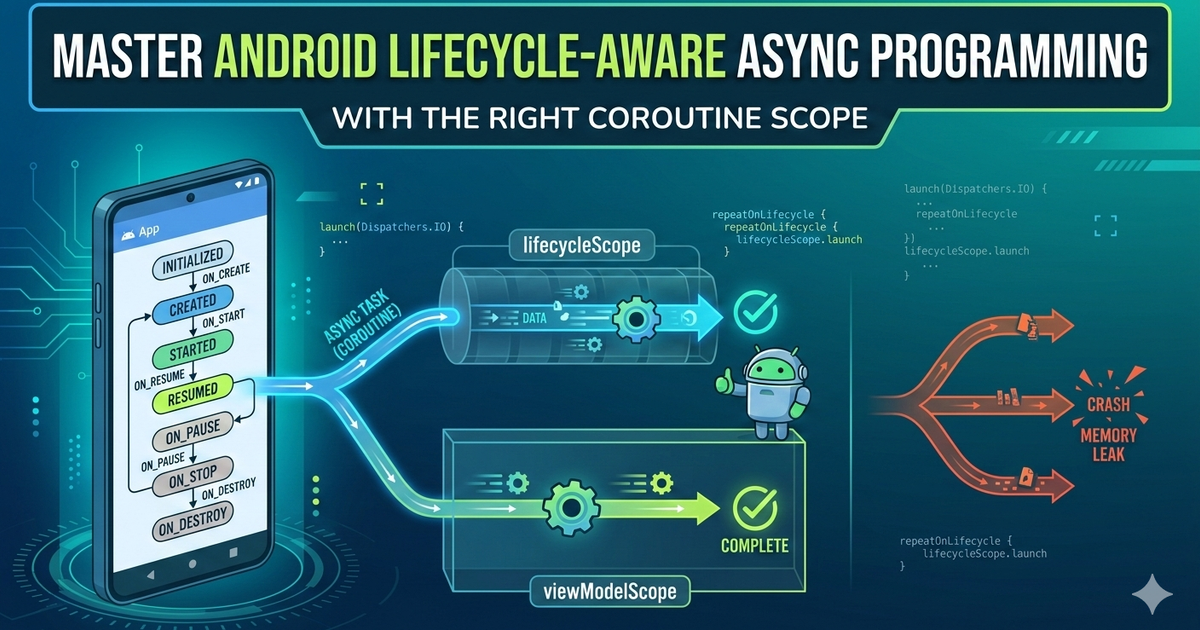
When learning Kotlin Coroutines, one concept separates beginners from confident Android developers: coroutine scope. A coroutine scope controls two critical things — how long a coroutine lives and when it gets cancelled. Get this wrong, and you risk memory leaks, crashes, or wasted background work. Get it right, and your async code becomes predictable and lifecycle-aware.
The 3 Common Coroutine Scopes in Android
lifecycleScope — For UI Work
lifecycleScope is bound directly to the Activity or Fragment lifecycle. When the user navigates away or the screen is destroyed, all coroutines inside it are automatically cancelled. This makes it ideal for triggering UI updates, animations, or loading state that only matter when the screen is alive.
lifecycleScope.launch {
    val data = fetchData()
    updateUI(data)
}
viewModelScope — For Business Logic & Data
viewModelScope lives inside your ViewModel and is only cancelled when the ViewModel itself is cleared — not on configuration changes like screen rotations. This makes it the right choice for network calls, database queries, and any business logic that shouldn't restart just because the user flipped their phone.
class MyViewModel : ViewModel() {
    fun loadUser(id: String) {
        viewModelScope.launch {
            val user = repository.getUser(id)
            _uiState.value = UiState.Success(user)
        }
    }
}
GlobalScope — Why You Should Avoid It
GlobalScope sounds powerful, and it is — dangerously so. Coroutines launched here keep running even after the Activity or ViewModel that started them is gone. This breaks structured concurrency and can silently leak resources. In almost every Android use case, lifecycleScope or viewModelScope is the better choice.
Quick Reference: Which Scope Should You Use?
lifecycleScope  → Activity/Fragment  | No rotation survival  | UI updates
viewModelScope  → ViewModel          | Survives rotation     | Network, DB, logic
GlobalScope     → App process        | Survives (risky)      | Avoid
Why Coroutine Scopes Matter Beyond Cancellation?
Understanding scope isn't just about preventing memory leaks — though that's a huge win. Proper scope usage enforces structured concurrency, which means every coroutine has a parent, and failures propagate predictably. It also makes your code easier to test, since scoped coroutines can be controlled in unit tests with TestCoroutineScope.
Summary
Use lifecycleScope for UI-bound work in Activity/Fragment.
Use viewModelScope for data and business logic in ViewModel.
Avoid GlobalScope — it defeats structured concurrency.
Coroutines aren't just about running code in the background — they're about running the right code for exactly as long as it's needed.

Indie Product Engineer focused on toolcraft — building free tools that just work.